Beta & Experimental Features
Roadmap
BetaRoadmap shows Blackthorn's product roadmap, the same one published on the support site. Open it from Help & feedback → Roadmap. It is live for every organization. Blackthorn staff also have a "Forge" tab that lists Forge features still in development, with a target month once scheduled; customers don't see that tab.
Availability
Roadmap is on for every organization and has no switch on the Beta features page (/beta). Customers see the public Blackthorn roadmap, read-only. The Forge tab is a staff-only setting that is off by default.
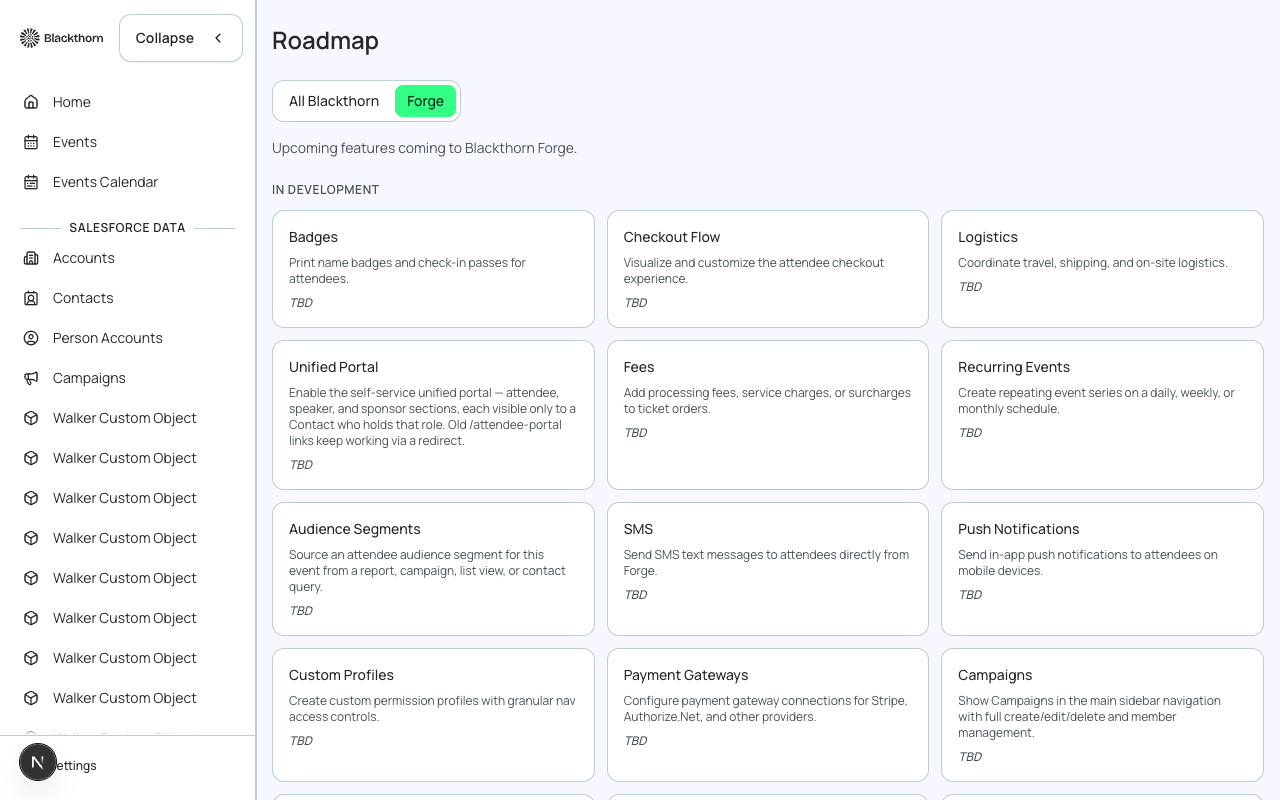
Forge tab (Blackthorn staff only)
Lists the features in development as cards, in a single In Development group, 20 at a time with Show more. Features that are locked and only open for interest registration are not listed here; find those under Interested on /beta.
| Card element | What it shows | How to read it |
|---|---|---|
| Feature name and description | The feature's name and one-line description, the same copy as on the Beta features page. | Use the name to find the matching guide page in this section. |
| Delivery | Target month and year, such as Mar 2027, or TBD. | TBD means no month has been scheduled yet. Treat dates as targets, not commitments. |
| Status badge | Planned, In Progress or Delivered, when Blackthorn has set one. | Planned means scheduled but not started, In Progress means being built, Delivered means finished. |
All Blackthorn tab
Shows the cross-product Blackthorn roadmap in an embedded page. View full site opens it in a new tab. If it cannot load you see a Load Error message with Open In New Tab, so you can read it directly.
For Blackthorn staff
Blackthorn staff see an Edit Delivery button on the Forge tab. It sets Month, Year and Status on each card, then Save or Cancel. Customers never see this button.
Use Roadmap to see what Blackthorn is building. If a feature you need is listed as Considering on /beta, register interest there.